Iphone – Mail
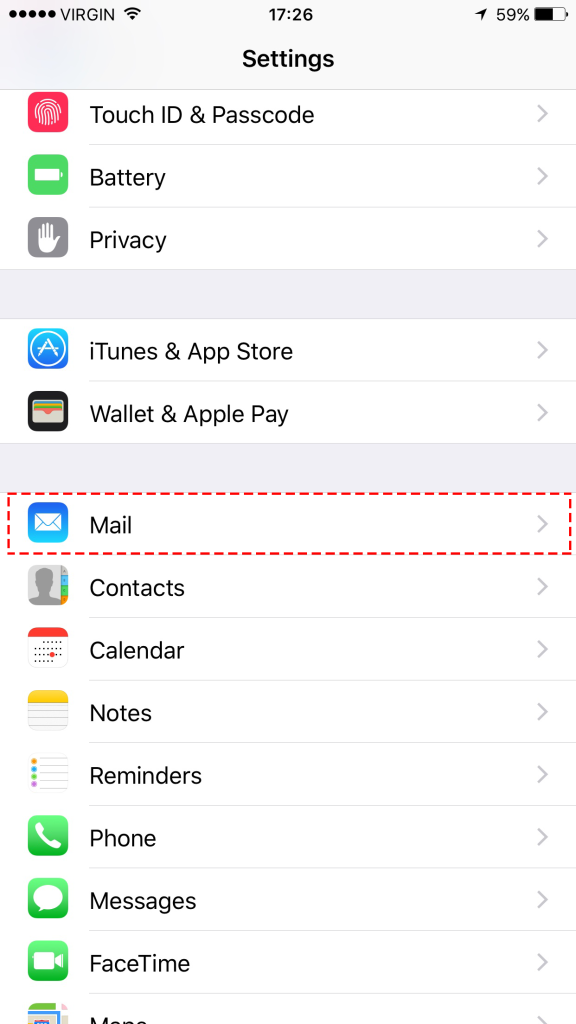
Step-1
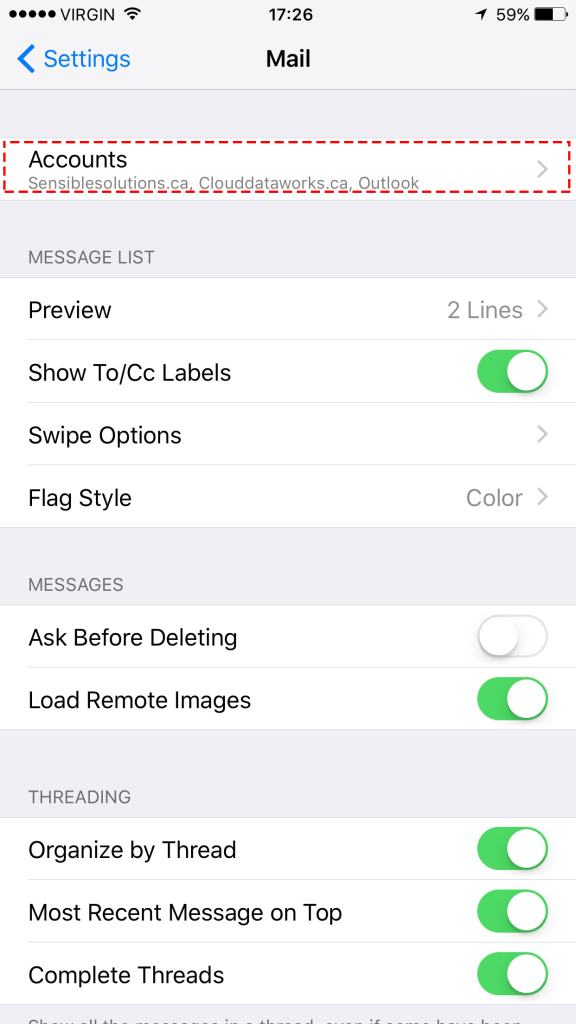
Go to Settings and choose Mail
Step-2
Choose Accounts
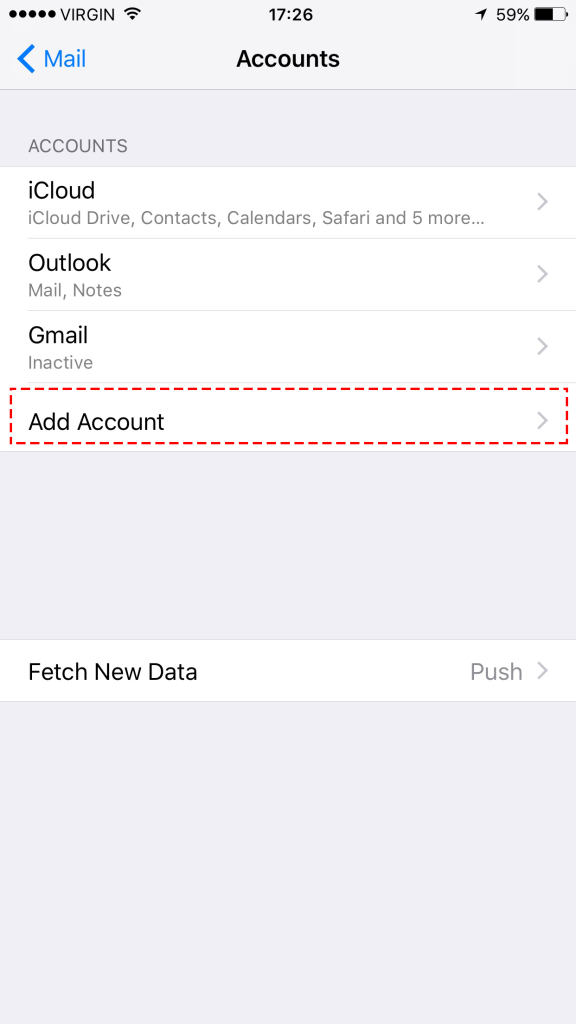
Step-3
Choose Add Acounts
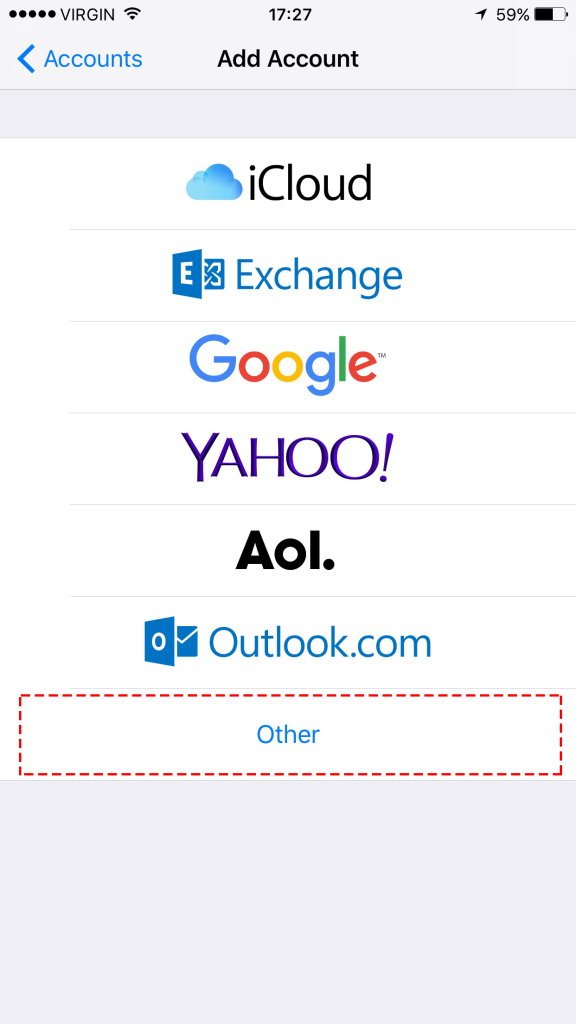
Step-4
Choose Other
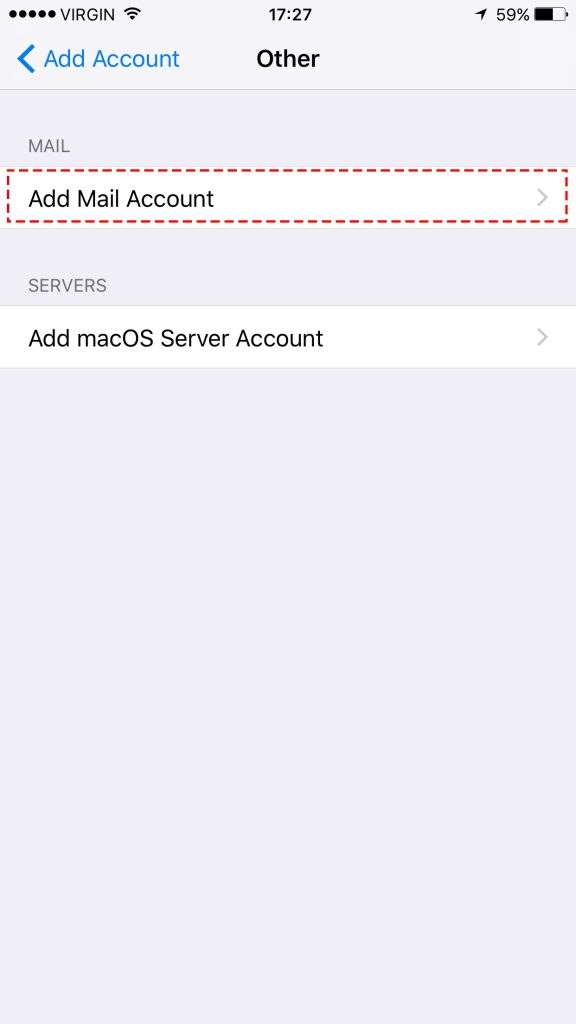
Step-5
Choose Add Mail Account
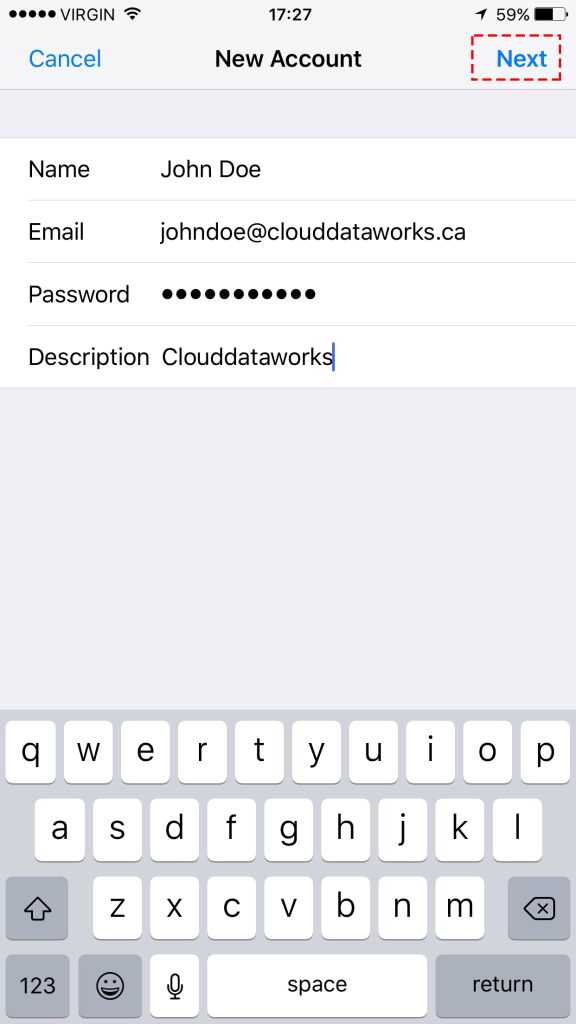
Step-6
Fill in the account details and click Next
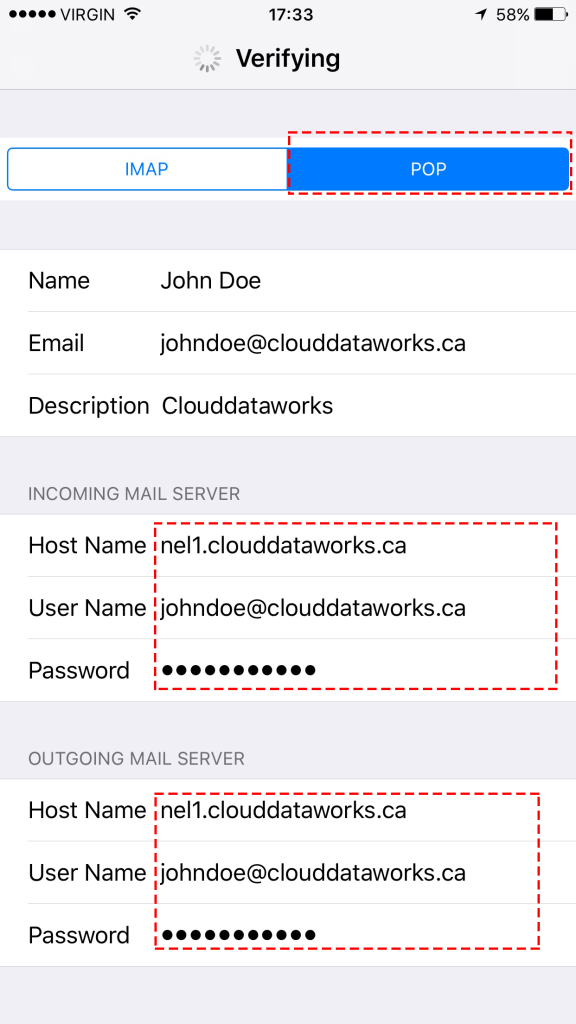
Step-7
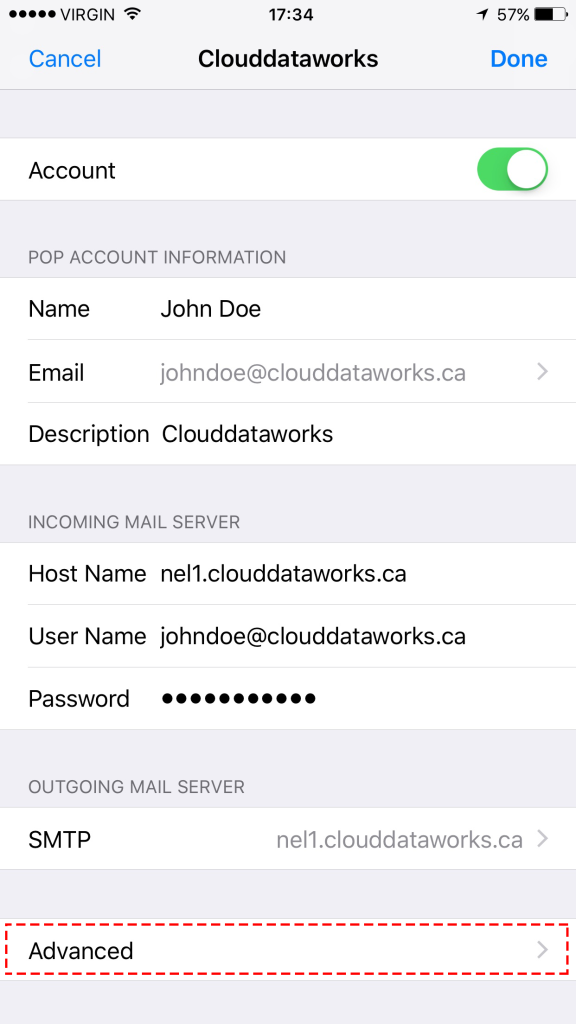
Choose the POP and enter the details.
Enter the your incoming mail server and outgoing mail server ( to find you mail server number Click here)
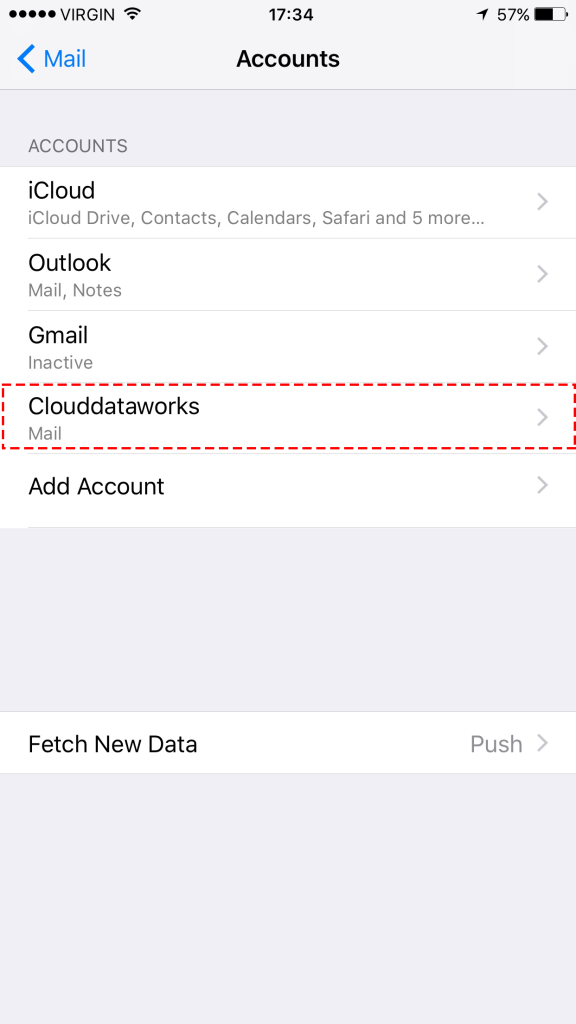
Step-8
Click on the new added account
Step-9
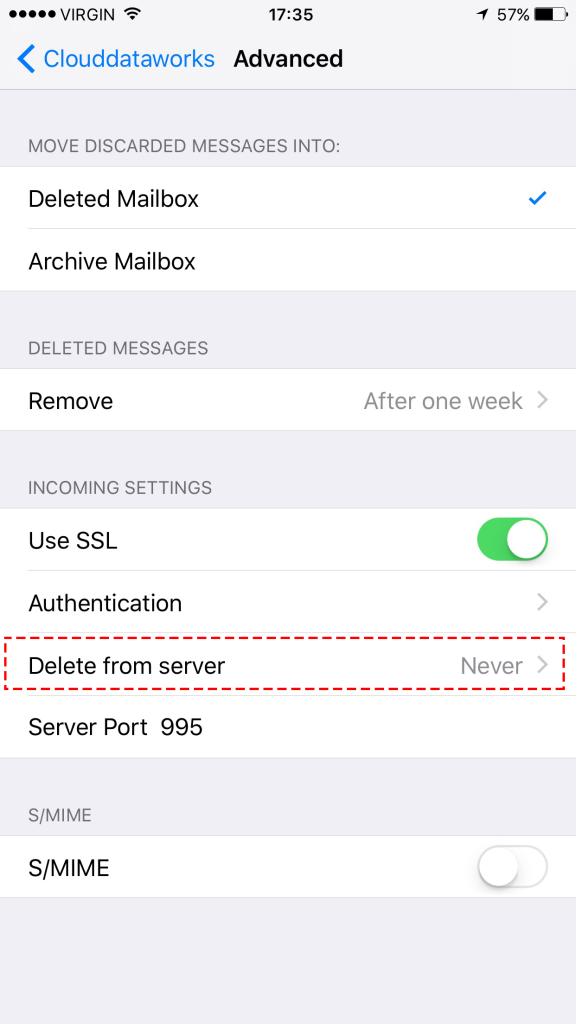
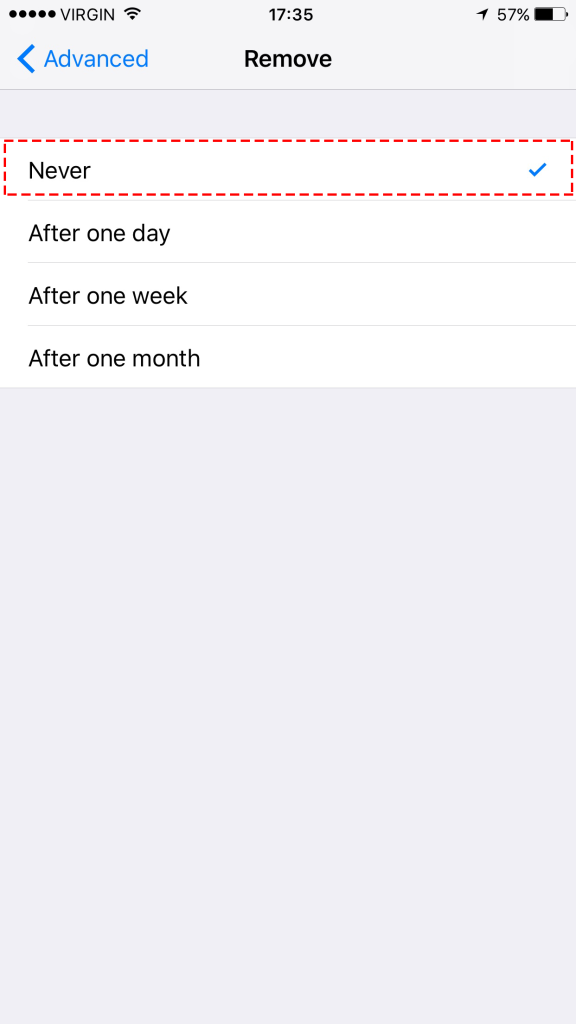
Click Advance and do the following steps