Thunderbird
Step-1
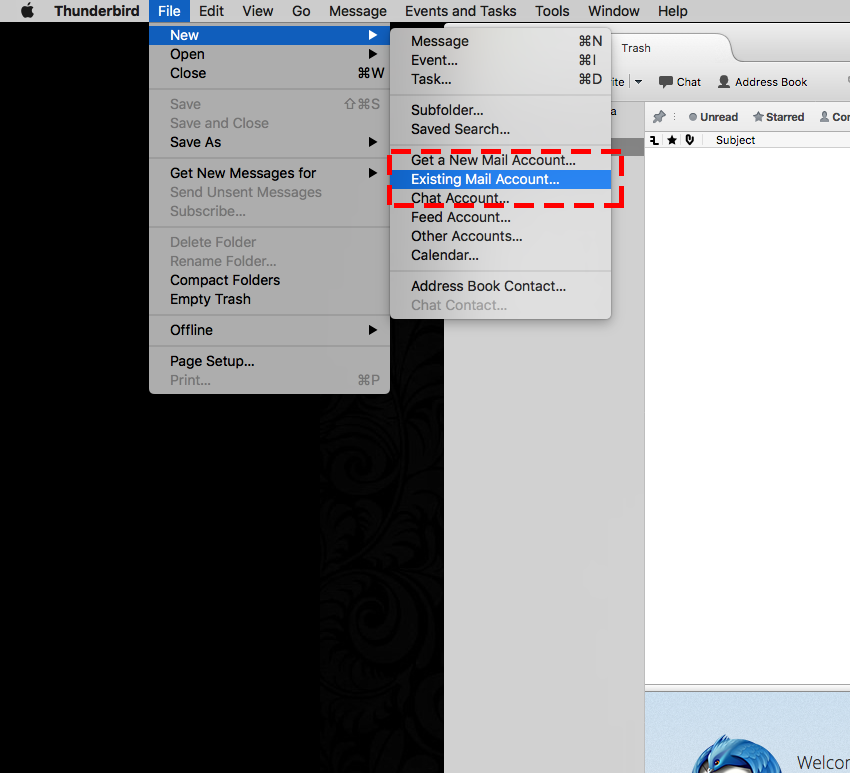
Choose File -> New -> Existing Mail
Step-2
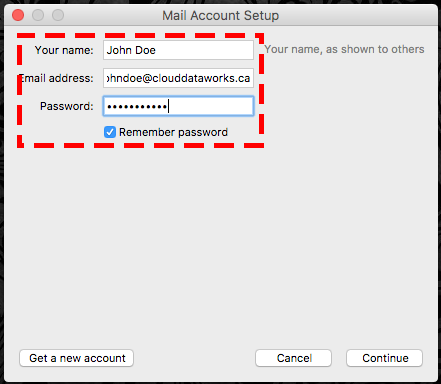
Add the account details and Click continue
Step-3
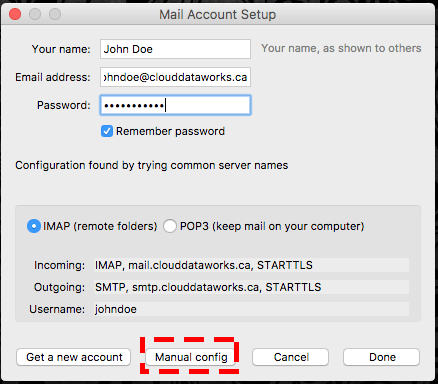
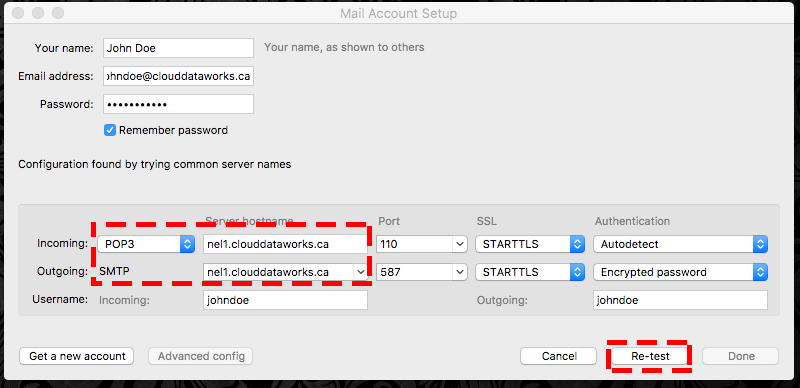
Choose Manual Configuration and then Choose POP and enter the your incoming mail server and outgoing mail server ( to find you mail server number Click here)
Click Retest and Click Done