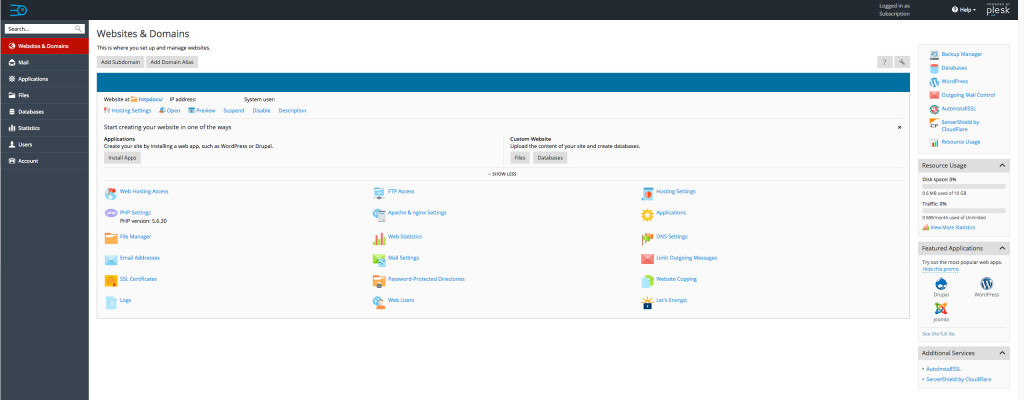
Accessing the Control Panel
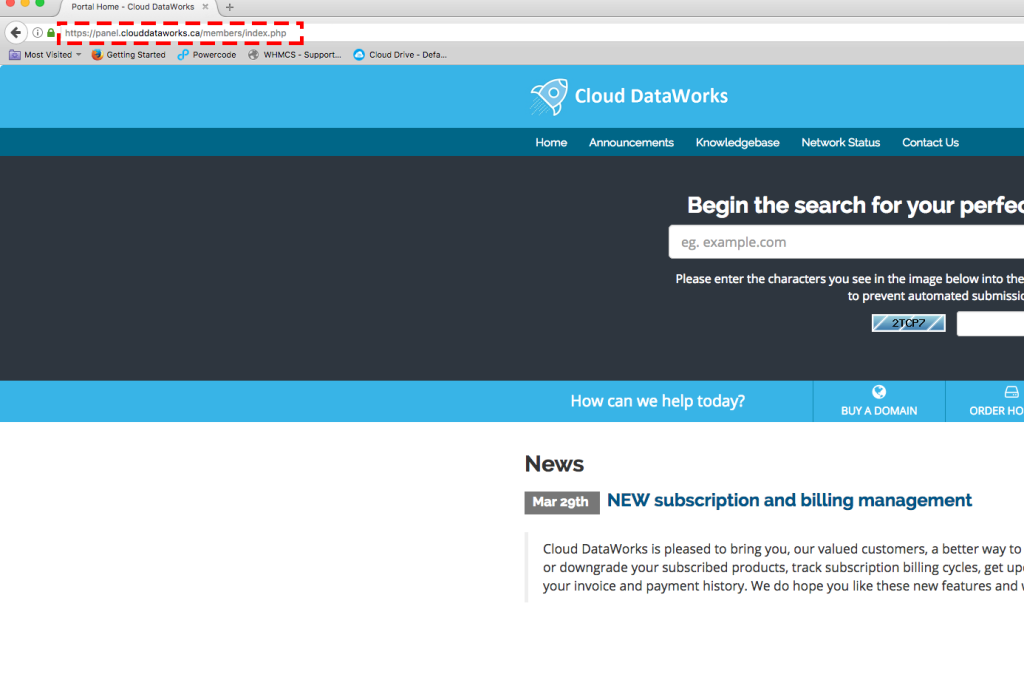
Step – 1
On your browser, type https://panel.clouddataworks.ca/members/index.php (or click the link here)
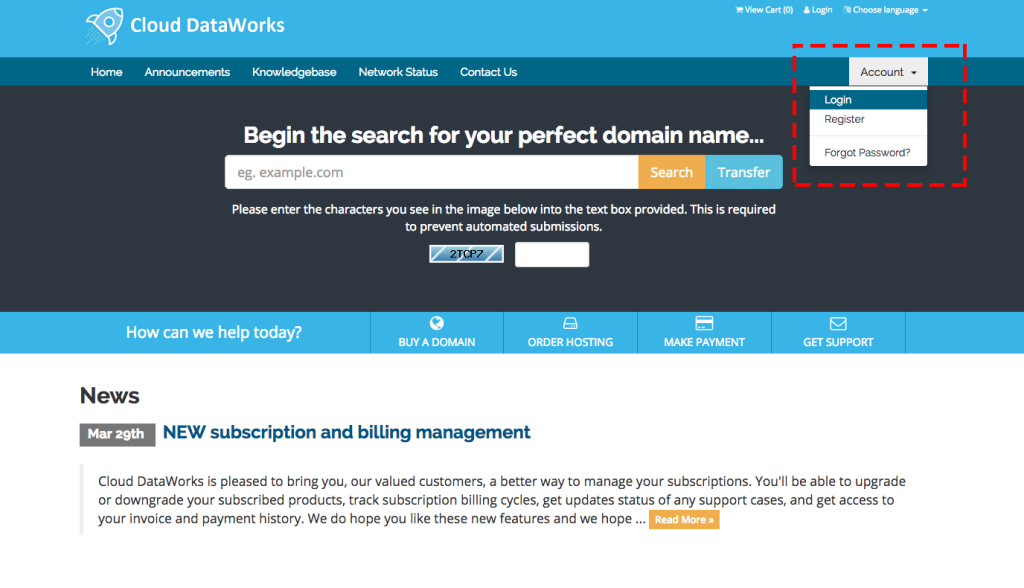
Step – 2
Click on the login as highlighted and Enter your email and your password
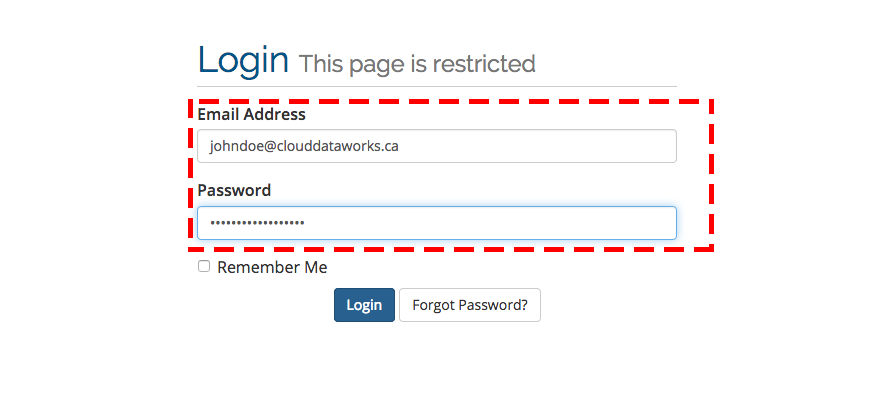
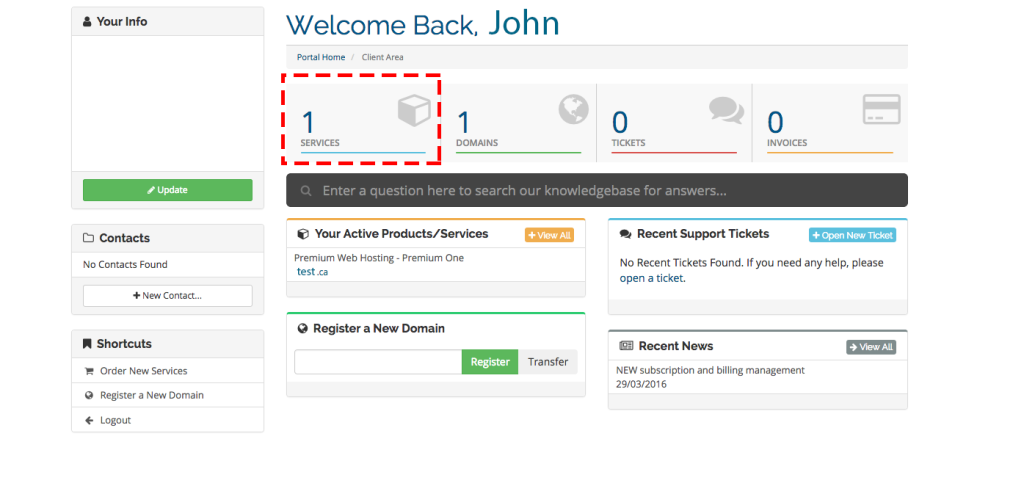
Step – 3
Click on the Services
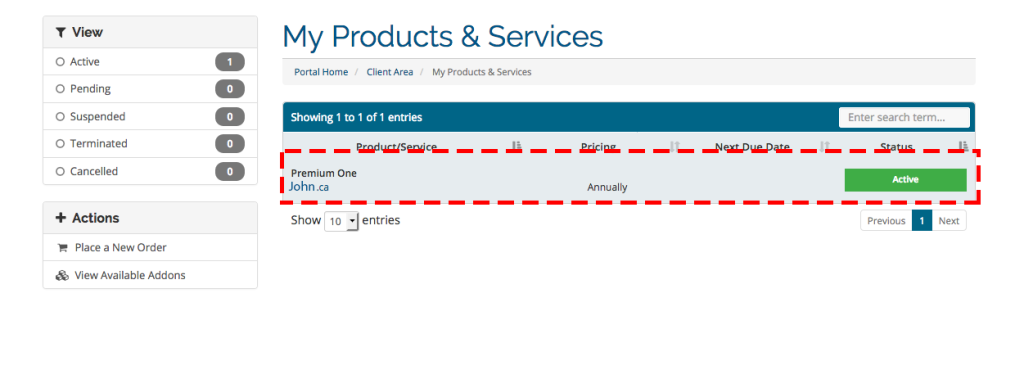
Step – 4
Click on the ACTIVE part or anywhere like highlighted on the image
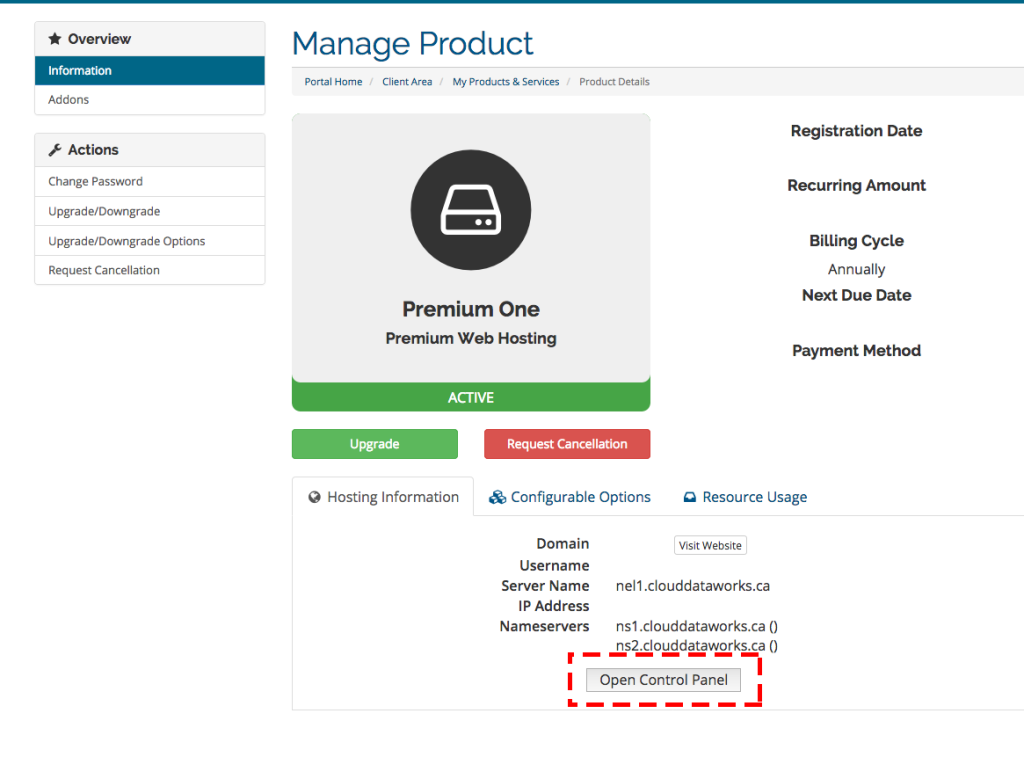
Step – 5
Click on the control panel
Step – 6
The Control Panel or Plesk shows up